All work
Case study
Helm
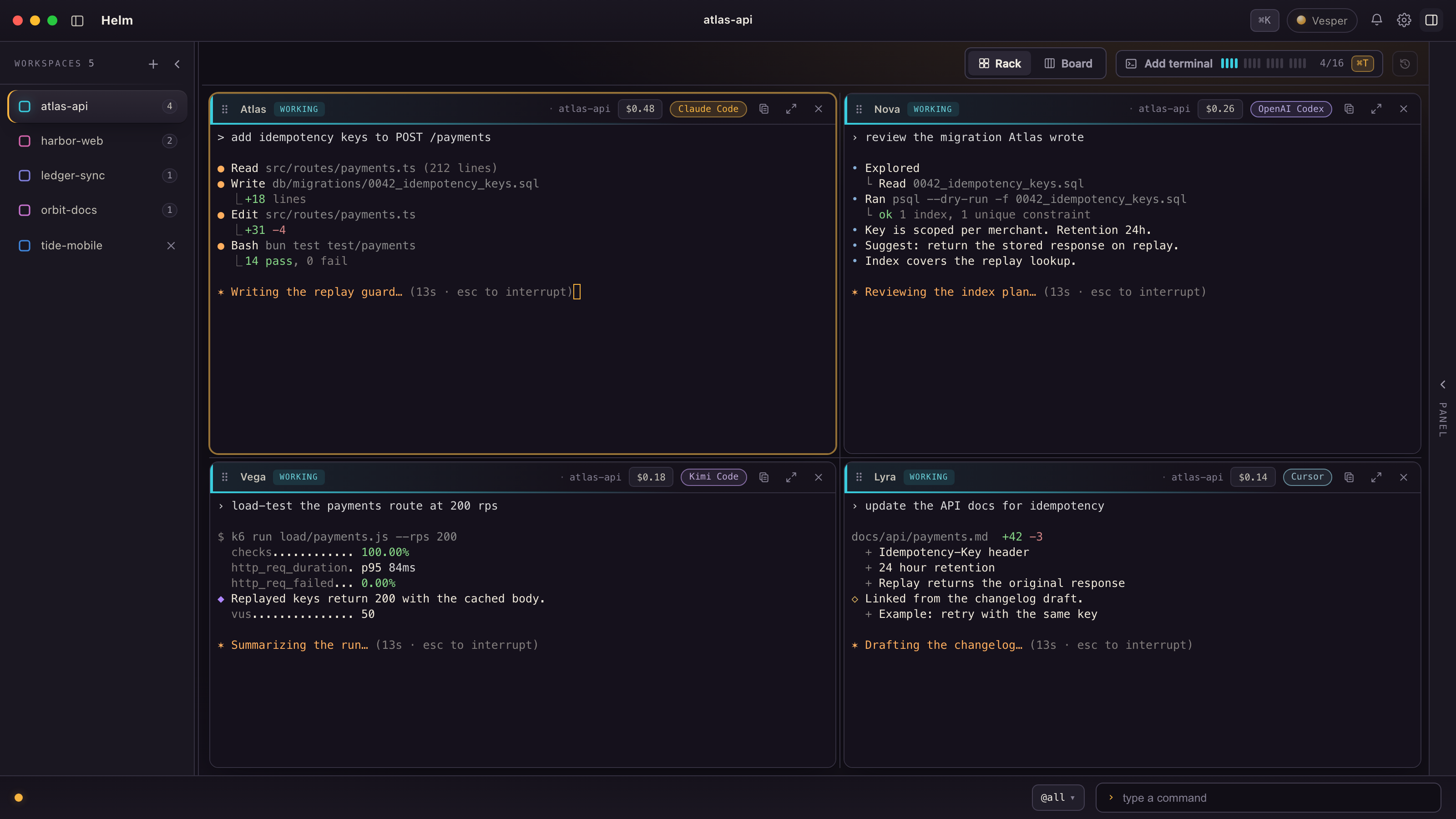
Mission control for a crew of AI agents: a macOS app running Claude Code, Codex, Kimi and Cursor side by side, each with a name, a lane and a visible cost.
The challenge
Running several AI coding agents at once in separate terminal windows breaks down fast. You lose track of which agent is doing what, work cannot pass cleanly from one to another, and spend stays invisible until the bill arrives.
Our approach
Build the cockpit we wanted to work in, then use it every day. Each agent gets a pane, a name you can say and a project lane. The operator directs the crew by typing or by voice. And nothing the app reports is allowed to run ahead of what actually happened.
What we built
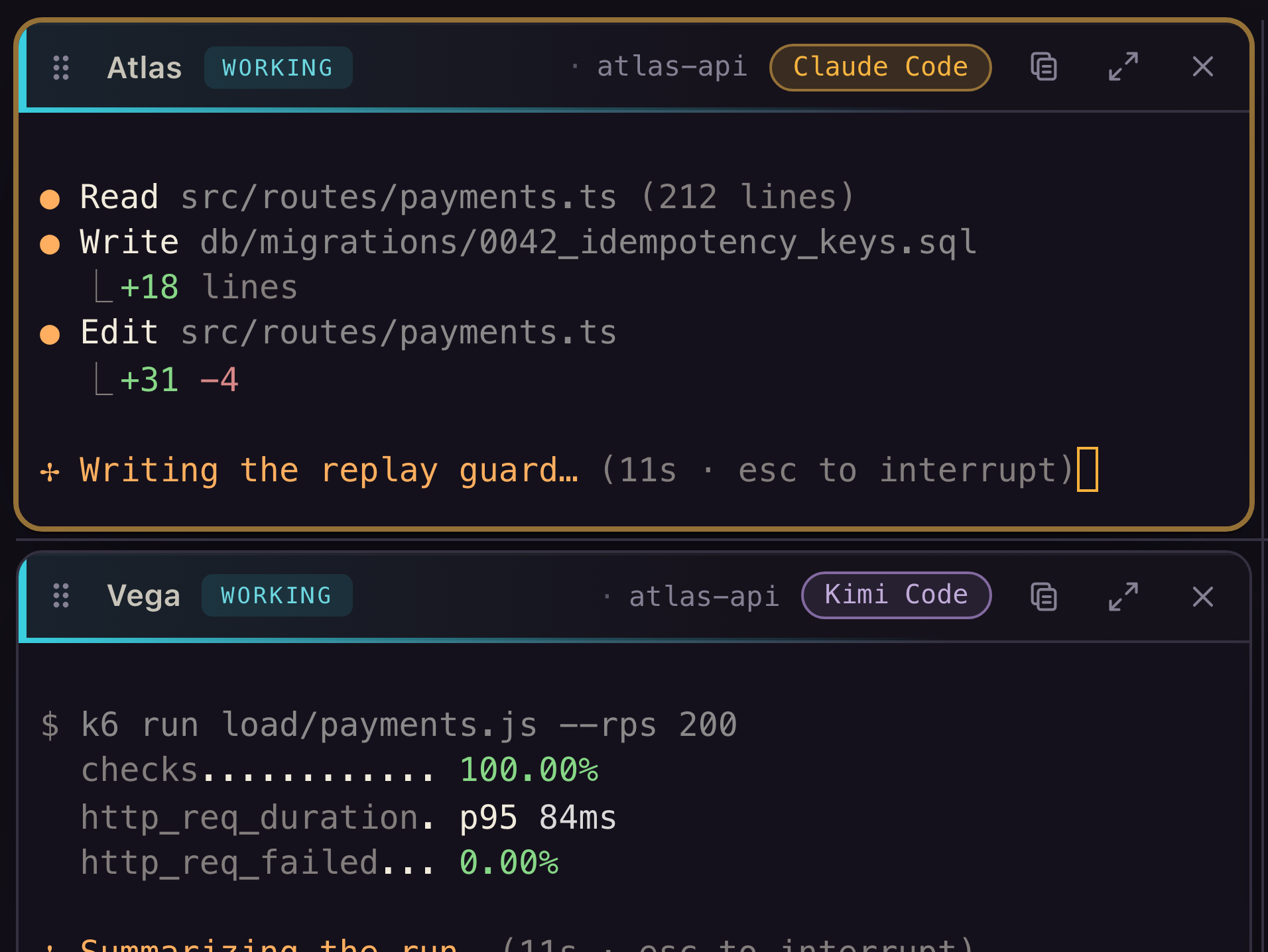
- Call-signed panes. Every pane gets a short, speakable name such as Atlas, Nova or Vega, so you can say it, type it after an @, and route work to it.
- The rack. All the panes of a workspace in one grid. Maximize one while the rest keep running.
- Workspaces as lanes. Each project is isolated, with its own panes and its own crew. Switching away does not stop anything; the other lanes keep working.
- Vesper. One orchestrator per workspace that plans, delegates and keeps watch, by chat or by voice.
- Hand-offs. A pane can pass work to a named sibling, which picks it up at its next turn without interrupting what it is doing.
- Cost on the record. Spend per pane, to the cent, always on screen.
- Sessions that survive a restart. Quit and relaunch, and the workspaces come back with their live sessions.
Stack
- Tauri 2
- Rust
- TypeScript
- xterm.js
- tmux
- Claude Code
- Codex
- Kimi
- Cursor
Outcome
- Helm is where Vesperwerk builds everything, including the other work on this page.
- Agents work in parallel without stepping on each other, because isolation is a property of the app, not a habit.
- What an agent spends is visible while it works, not after.
- Helm is an internal tool and is not for sale. You can see more of it in our Workshop.